
For property managers on Rentvine
Every door you manage, on one map.
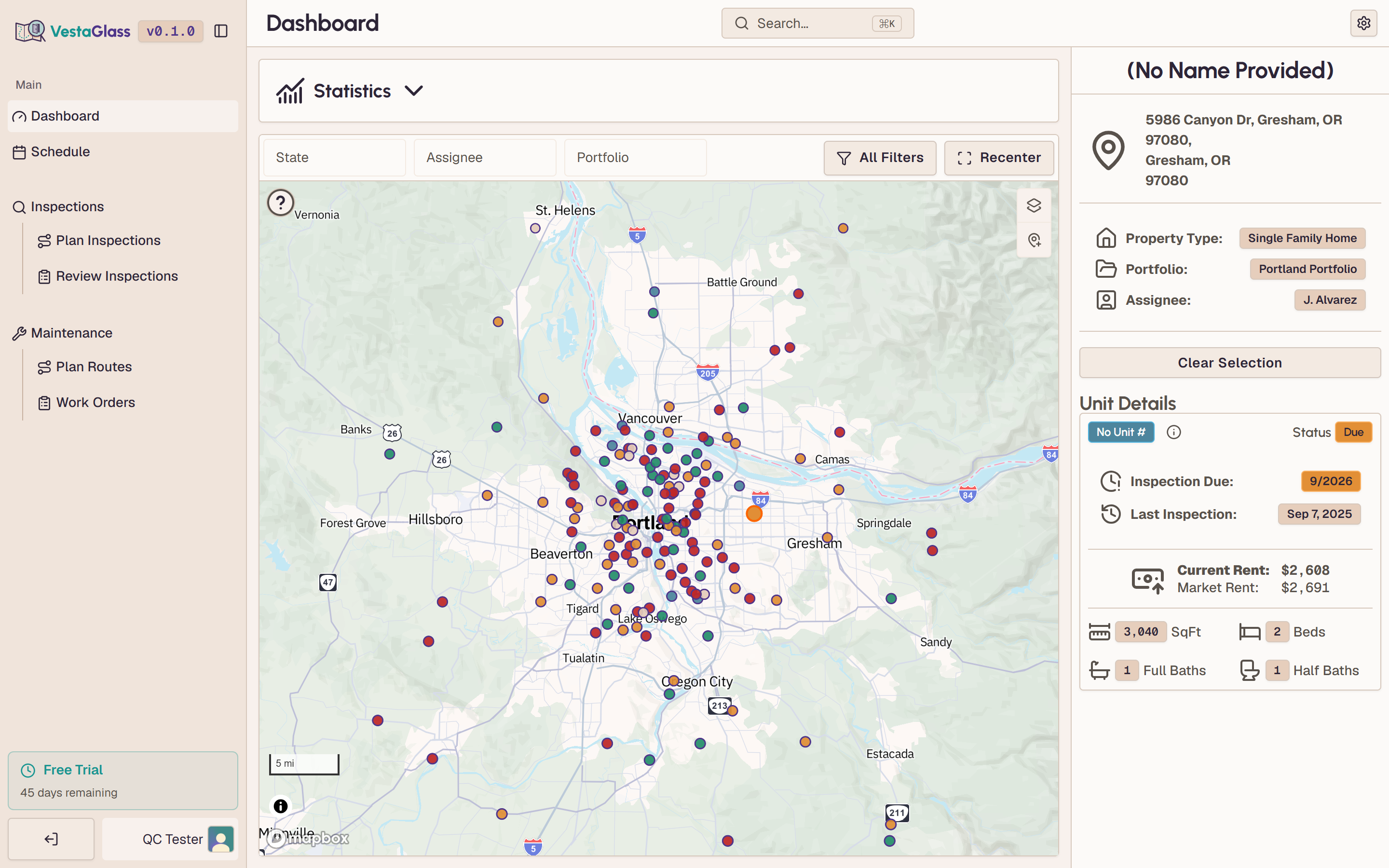
VestaGlass reads your portfolio straight from Rentvine and flags every door that is overdue, due, or coming up. It shows the real drive time between the stops you pick, so inspection day takes minutes to plan instead of a morning.
Connect Rentvine and see your portfolio on the map in a few minutes. Cancel any time.
- Zero migration required
- Tested to 10,000+ doors
- Cut windshield time by up to 50%
You manage doors spread across a city. Your PMS hands you rows in a table.
- Export the unit list out of your PMS into a spreadsheet.
- Sort by due date, then by ZIP, to guess what's close to what.
- Import the spreadsheet into Google My Maps and wait for the pins to land.
- Drag the pins into an order, guessing at the drive between them — then drag them again when the guess looks wrong.
- Start over when a move-out gets added or a work order has to be seen the same day.
By the time the route looks right, the better part of an hour is gone.
Inspection planning, on a map
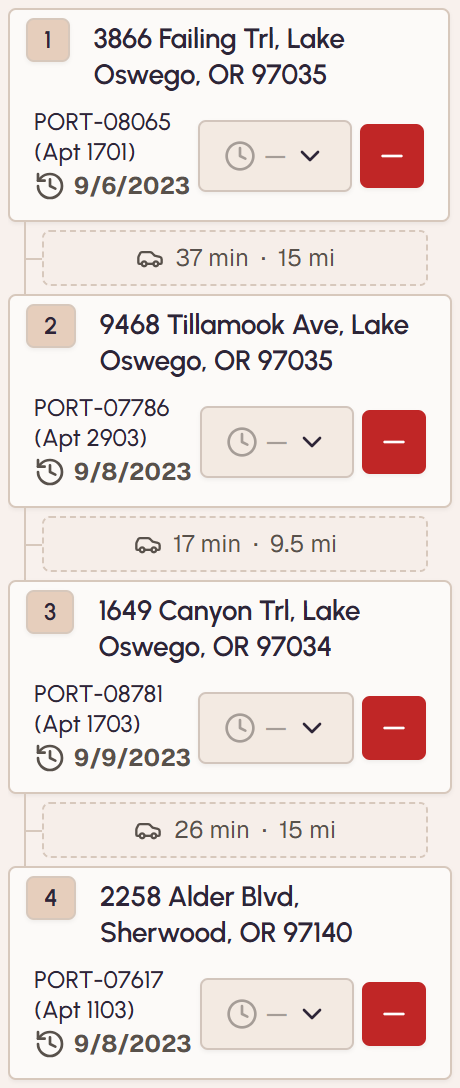
Every door you manage shows up as a point on one map, pulled from your PMS. Filter to what's due, and drop the stops into a day. Each leg shows its real drive time for the hour you'll actually be on the road, traffic and all, so the stop that strands you across town shows up as a number while you're planning, not on Thursday. Drag it somewhere better and the legs recalculate.
The doors that are due are already on the map. Picking a day is choosing pins, not rebuilding a list.
You see what a stop costs before you commit to it, so the day stops being half inspections and half driving.
Due dates come from Rentvine's own dates plus your intervals. No data entry, nothing to remember.
Assign the route to whoever runs it. They get the stops in order on their phone, and the completed date can go back to Rentvine.
Built by someone who managed 700+ doors
Andrew managed 700+ doors for the better part of a decade, and inspection week looked exactly like the picture above: the export, the spreadsheet, the map tab. VestaGlass is the tool he wanted then. Every workflow in it came out of a week that went wrong.
There are two of us. Andrew ran the doors; Max builds the software. The person who answers your email is the person who writes the fix.
Tested to 10,000+ doors, and it still moves. Our own benchmark, not a customer's.
Powered By


Integrates With

Secure With


Three steps from API key to planned day
There is no implementation project here, and nothing to move off Rentvine.
Paste in an API key. Nothing moves, and nothing is migrated. Rentvine stays exactly where it is.
Your properties and doors land on the map, so you can see which ones sit near each other.
Narrow to what's due, drop the stops into a day, and read the drive time between them.
Nothing to migrate. Rentvine stays where it is and stays the source of truth. There is no import, and no second copy of your portfolio to keep straight.
Nothing to maintain. VestaGlass re-reads Rentvine every night and on demand. If it's right in Rentvine, it's right here.
Rentvine runs the business. VestaGlass plans the day.
VestaGlass replaces neither end of the job. It covers the part in between.
Holds the doors, the leases, the owners and the money. The system of record.
Puts those doors on a map and turns what's due into a day someone can drive.
Handles the walkthrough: photos, checklists, the report you send the owner.
It reads your portfolio. It never touches your accounting.
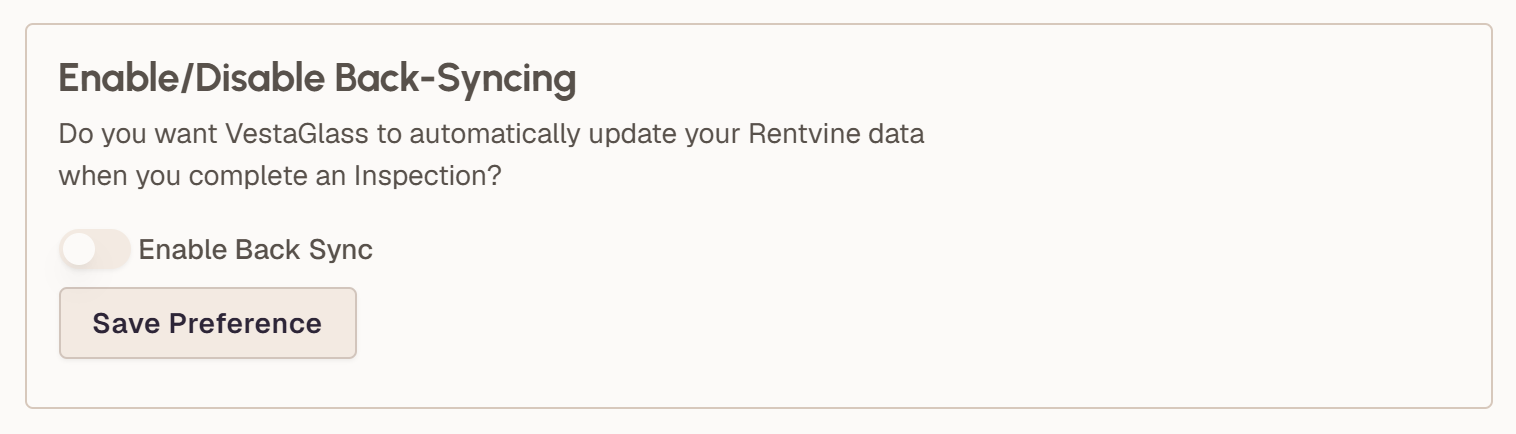
VestaGlass does not write to your ledger, your owner statements or your books. The two things it can write back, the inspection date when a route is completed and the appointment window on a work order you've put on a route, are off unless you turn them on.
What you get
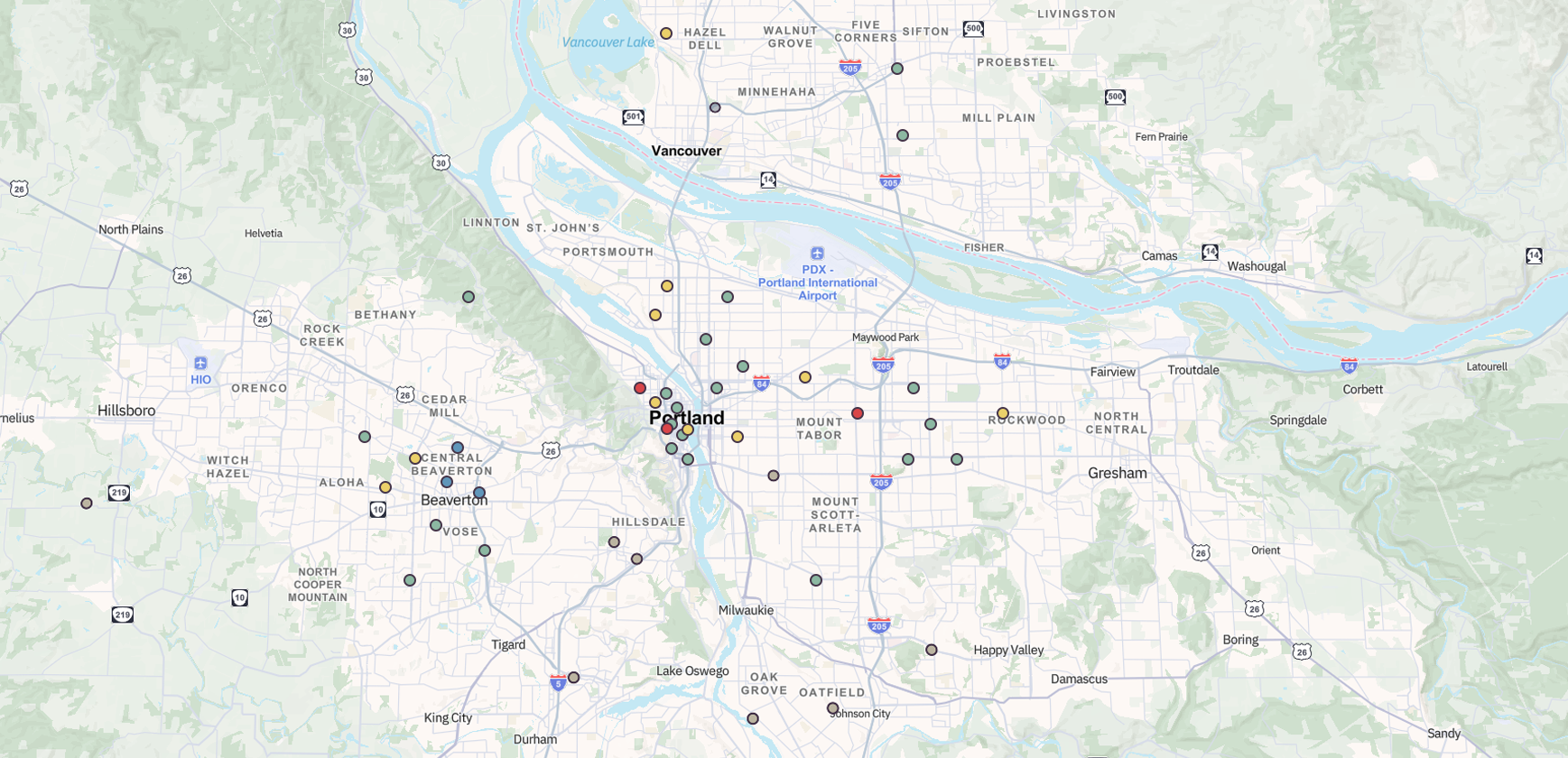
Every property and unit from Rentvine on one map, synced nightly and on demand, filterable by portfolio, assignee, ZIP, type or status.
More on the portfolio map →Computed from Rentvine's dates plus your intervals for occupied and vacant doors. Overdue, due and coming up are coloured on the map.
Traffic for the hour you'll actually drive, recalculated when you reorder the stops yourself.
More on inspection planning →Six roles, with permissions per feature, so a coordinator plans the day and an inspector runs it.
Stops in order on a phone, one tap to turn-by-turn in Apple or Google Maps, arrivals recorded as they happen.
Completing a route can update the last-inspection date in Rentvine. Off by default.
How the integration works →Priced per door. The rate falls as you add doors.
One plan, every feature, and 90 days to decide. Cancel any time before the trial ends and you owe nothing.
Put the whole team on it. You pay for the portfolio you manage, not for how many people look at it.
The doors you add next are priced in the band they land in, so they cost less per door than the ones you already have.
Type your door count into the calculator on the pricing page and it tells you the monthly total. No demo to sit through first.
See your portfolio on the map
Connect Rentvine and watch every door you manage land on one map. Plan your next inspection day in minutes, not an hour.
Connect Rentvine and see your map in minutes. Cancel any time before your trial ends.
Not on Rentvine yet? One email when your PMS is supported.